
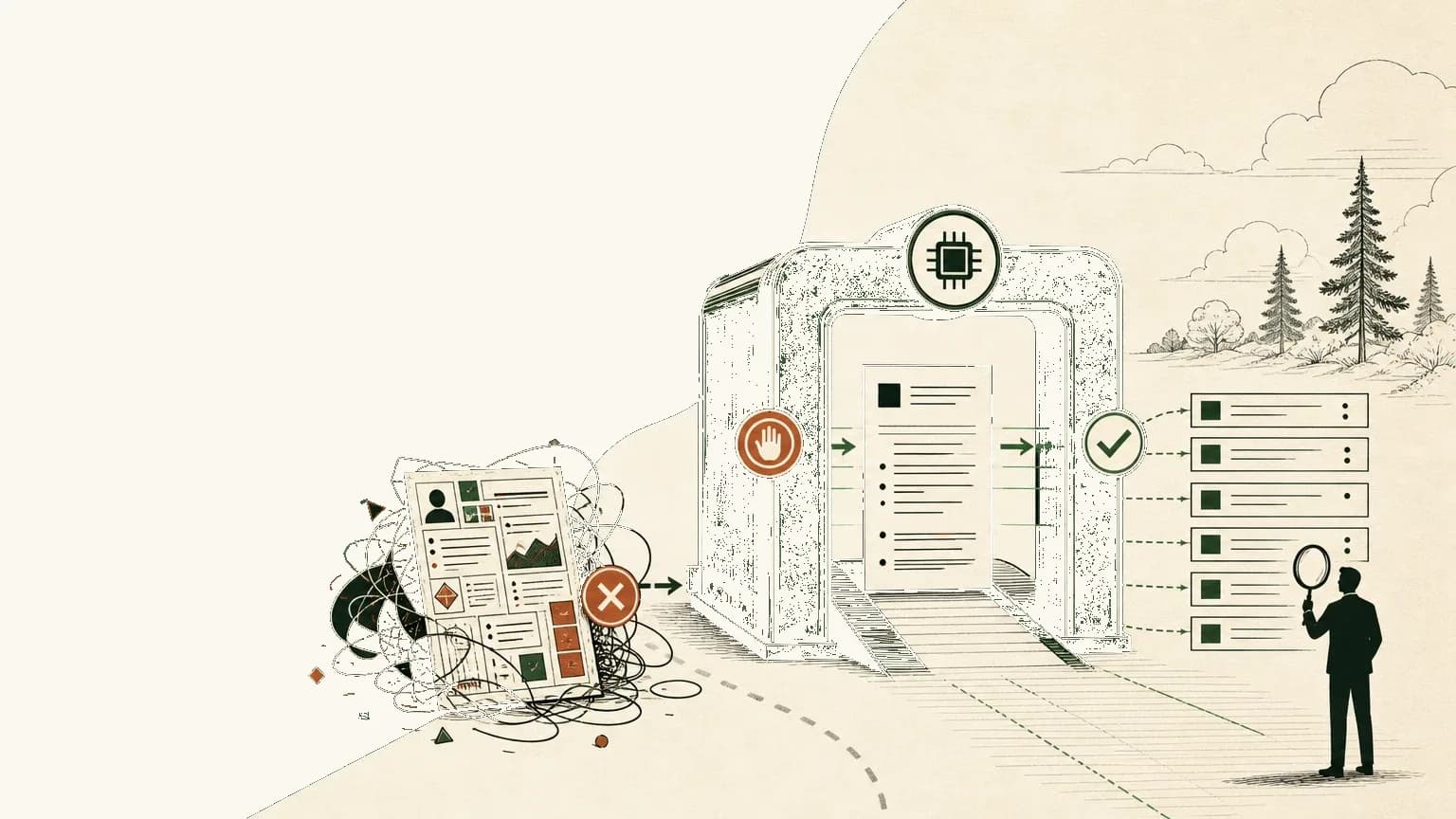
An ATS-friendly resume is a resume that systems can read as text and humans can understand as evidence.
That is the calmer answer behind a noisy question. The job seeker hears "ATS" and imagines a rejection machine. The recruiter hears "ATS" and thinks of a database, workflow, parser, filters, search, scorecards, and hiring-team coordination.
Those are not the same thing.
The practical goal is not to outsmart a universal algorithm. There is no single ATS score that works the same way across every employer, vendor, and job configuration. The goal is to make your resume readable in the three places it may travel: parser, recruiter search, and human review.
Tiny CV's frame is simple: systems need text; humans need proof. A resume that handles both is stronger than a resume optimized for fear.
What ATS-Friendly Really Means In 2026
An ATS-friendly resume in 2026 is text-readable, consistently structured, keyword-aware, and still persuasive to a person.
Think of the ATS as a mailroom plus a filing system, not a single judge. Workday describes an applicant tracking system as a central recruiting database that helps employers gather applications, screen candidates, and manage hiring workflows.1 iCIMS describes ATS tools as systems that organize candidate data, support filtering, scan for keywords, and may rank candidates against criteria.2
That means formatting matters, but not because every resume disappears into the same black box.
Formatting matters because a parser has to extract your name, contact details, roles, employers, dates, education, and skills into fields. Search matters because a recruiter may later look for "React," "revenue operations," "SOC 2," "Spanish," or "account executive." Human review matters because a real person still needs to believe the work.
MIT Career Advising and Professional Development gives the non-scary version of the same principle: use the position description to decide what to include, use a standard format, and describe experience with specificity.3
That is ATS-friendly resume writing without the superstition.
What Vendor And Career Sources Actually Say
The strongest ATS guidance is boring in the best way: make the document easy to parse, easy to search, and easy to read.
Workday's explanation is useful because it separates the system from the myth. An ATS can post jobs, gather applications, parse resume text into structured profiles, support workflows, and let recruiters search or filter candidate records.1
iCIMS adds the ranking layer. Its guide says ATS tools may scan for keywords, analyze resume substance, rank candidates by criteria such as years of experience or role relevance, and let recruiters refine results.2 That is a reason to use the right terms. It is not a reason to paste the job description into the margins.
Greenhouse is the most concrete about parse failure. Its support documentation says unsuccessful parsing can come from image resumes, graphics, word art, complex tables, headers, footers, text boxes, columns, unclear sections, spaced-out letters, and incomplete job titles.4
UIC Career Services gives the job seeker version: use relevant keywords in context, keep the resume single-column, avoid tables and text boxes, and use simple formatting.5 It is older guidance, so treat any file-format advice as a starting point, not a universal rule for every employer in 2026.
The pattern is consistent. Clean structure helps systems. Specific proof helps humans. The best resume does both.
Parsing Is Not Ranking, And Ranking Is Not Recruiter Search
Parsing asks whether the system can read and classify your resume text; ranking and search ask different questions.
Parsing is mechanical. Can the system find the candidate's name? Can it identify employers, dates, job titles, education, and skills? Can it turn the document into a usable candidate profile?
Ranking is comparative. Does the candidate record appear to match configured criteria for this job? Those criteria may include keywords, years of experience, required credentials, knockout questions, location, work authorization, or recruiter preferences. They vary by employer and role.
Recruiter search is retrieval. Can a person find you later by title, tool, company, credential, domain, or project type?
This distinction saves you from bad advice.
A resume can parse cleanly and still be weak for the role. A resume can include the right terms and still fail human review because the terms are floating in a skills pile with no proof. A resume can rank poorly for one job and be a strong match for another.
So the right question is not "How do I beat the ATS?"
The right question is "Will my strongest truthful evidence survive the system and make sense to the person?"
PDF, DOCX, And The Text-Layer Problem
The safest resume file type is the one the employer asks for, as long as the file contains readable text.
Do not turn PDF versus DOCX into a religion. A text-based PDF is different from a scanned image saved as a PDF. Adobe explains that a scanned PDF contains image data until optical character recognition creates selectable, searchable text.6
That is the real test: can you select the words?
If the employer asks for DOCX, upload DOCX. If the employer asks for PDF, upload PDF. If the system asks you to paste plain text into fields, do that carefully. When there are no instructions, a clean text-based PDF is usually reasonable, but it should not be image-only, locked into a design poster, or assembled from screenshots.
DOCX is not magic either. A complex DOCX template with columns, text boxes, tables, and header/footer contact details can still create parsing problems. Greenhouse specifically flags those formatting patterns as parse risks.4
Tiny CV's paper preview and PDF export are useful because they keep the sequence visible: write the markdown source, inspect the page, export the file, then test the text. The export is the last step, not the strategy.
Keywords Belong In Context, Not In A Dump
ATS keywords work best when they describe real work inside specific bullets.
Use the job description as a translation guide. Pull out role titles, tools, domains, methods, certifications, and responsibilities you can honestly defend. Then put the important terms where they belong.
For a software engineer, "React, TypeScript, PostgreSQL" in a skills section is useful. "Built billing retry states in React and TypeScript, reducing manual support handoffs" is stronger because the tool is attached to work.
UIC's guidance says to use keywords and phrases in context, not just as a list of skills.5 MIT makes the same point from the human side: include technical details inside experience descriptions so the reader understands how the skill was used.3
Khaled Hussein, co-founder and CEO of Betterleap, makes a useful caution in SHRM's resume guidance: jargon and acronyms can trip systems, and "Simple is best" when formatting for analysis.7
Tiny CV's rule here is facts before phrasing. If the experience is real, make it legible. If the experience is missing, do not keyword-stuff the gap.
ATS Myths And Readability Matrix
The best ATS resume advice separates parser-safe structure from human-readable proof.
Use this matrix when you are deciding whether a resume choice is helpful, risky, or just fear dressed up as optimization.
| Claim | Parser-safe version | Human-readable version | Risk or myth |
|---|---|---|---|
| PDFs are always rejected | Use a text-based PDF when the employer accepts PDF | Confirm the text can be selected and copied in order | Myth. Image-only PDFs are the real danger; employer instructions still win |
| DOCX is always safest | Use DOCX when requested and keep the layout simple | Avoid template tricks that hide content in boxes or columns | Overbroad. A complex DOCX can still parse badly |
| Columns make resumes look better | Use one column for formal applications | Let hierarchy come from headings, spacing, and bullets | Risk. Columns can parse out of order |
| Headers and footers are fine for contact info | Put contact details in the main body near the top | Make name, email, phone, and links obvious | Risk. Greenhouse flags header, footer, and text-box contact details |
| White-text keyword stuffing works | Use true keywords in visible bullets | Make every term interview-defensible | Myth and credibility risk. Modern systems and humans can catch tricks |
| ATS-friendly means ugly | Use restrained formatting, clear headings, and real text | Make the page calm, readable, and polished | Myth. Simple does not mean sloppy |
| An ATS score guarantees an interview | Treat vendor scores as diagnostics, not truth | Improve clarity, relevance, and proof | Myth. Ranking depends on employer configuration and human review |
| Keywords should be repeated everywhere | Use exact terms where they naturally belong | Attach terms to projects, outcomes, tools, and responsibilities | Risk. Repetition without evidence reads weak |
The matrix has one job: move the decision away from folklore and back to readability.
How To Test A Resume Before Sending
You can test whether a resume is ATS-friendly by checking the exported file as plain text before you upload it.
Use this six-part check:
- Select text in the final PDF. If the text cannot be selected, you may be looking at an image-only export.
- Copy the whole resume into a plain-text editor. Check whether the reading order still makes sense.
- Confirm the essentials survived. Name, email, phone or link, employers, titles, dates, education, skills, and bullets should remain readable.
- Check the top third. A recruiter should understand the target role, strongest proof, and relevant tools or domain quickly.
- Compare against the job description. Mark only true keywords you can support with experience.
- Save the requested file type. Do not fight the employer's upload instructions.
This is not a guarantee. It is a pre-send sanity check.
If the plain-text copy turns your resume into scrambled fragments, fix the structure before sending. If the text reads cleanly but the bullets are vague, fix the evidence.
The Tiny CV Workflow For ATS-Safe Versions
Tiny CV works best for ATS-safe resumes when you treat the resume as a source document first and an export second.
Start with one markdown source. Keep names, dates, titles, employers, links, credentials, and metrics stable. Then create a role-specific version when the opportunity deserves it.
For a software engineer, that might mean one version that foregrounds frontend product work and another that foregrounds infrastructure reliability. The facts should not change. The order, summary, and selected bullets can.
The workflow is:
- Start from your resume source of truth.
- Create a role-specific version when the job is high-fit.
- Use the job description to choose true keywords and proof.
- Keep the layout simple enough for parser and human review.
- Preview the paper page before shrinking or cramming.
- Export a text-based PDF when the employer accepts PDF.
- Share a public CV link when a human reader needs a clean browser version.
That workflow also pairs well with the resume tailoring decision framework. Tailor the emphasis, not the truth.
If an agent helps, use the safest way to let an AI agent edit your resume. Let it suggest ordering and phrasing. Do not let it invent experience.
What Not To Claim About ATS
The most useful ATS advice avoids claims that are too broad to be true.
Do not claim that a fixed percentage of resumes are rejected by ATS unless you can verify the original methodology and scope. The popular rejection-rate numbers are often repeated without enough context to be useful.
Do not claim that PDF always fails or DOCX always wins. The employer's instructions, the file's text layer, and the layout complexity matter more than the file extension alone.
Do not claim that all ATS tools behave the same way. Workflows differ. Ranking differs. Search differs. Some systems parse, some filter, some rank, some support recruiter review, and many do several of those things depending on configuration.
Do not treat AI screening as just another word for ATS parsing. EEOC and DOJ guidance warns that employers' use of AI and software tools in employment decisions can raise disability-discrimination risks under the ADA.8 That is important context, but it is not a resume-formatting hack.
For job seekers, the takeaway is narrower and more useful: make the document readable, truthful, specific, and easy to search.
The Practical Bottom Line
An ATS-friendly resume should survive three readers: the parser, the recruiter search box, and the human reviewer.
Use a simple one-column structure. Keep real text. Use standard headings. Put contact information in the main body. Use truthful keywords in context. Follow the employer's file instructions. Test the export before sending.
Then edit the resume like a person will read it, because one probably will.
If the resume is bloated, use the one-page resume forcing function. If it is drifting across versions, go back to the source of truth. If it is chasing keywords without proof, slow down.
Tiny CV's order is the order that keeps the document honest: source facts, structure clearly, preview the page, then export.
Footnotes
-
Workday, "What is an Applicant Tracking System?", https://www.workday.com/en-us/topics/hr/applicant-tracking-system.html ↩ ↩2
-
iCIMS, "Your complete guide to applicant tracking systems," https://www.icims.com/glossary/applicant-tracking-system-ats/ ↩ ↩2
-
MIT Career Advising & Professional Development, "Resumes," https://capd.mit.edu/resources/resumes/ ↩ ↩2
-
Greenhouse Support, "Unsuccessful resume parse," https://support.greenhouse.io/hc/en-us/articles/200989175-Unsuccessful-resume-parse ↩ ↩2
-
University of Illinois Chicago Office of Career Services, "Optimizing Resumes for Applicant Tracking Systems (ATS)," https://careerservices.uic.edu/wp-content/uploads/sites/26/2017/08/Ensure-Your-Resume-Is-Read-ATS.pdf ↩ ↩2
-
Adobe Acrobat Help, "Recognize text in scanned documents," https://helpx.adobe.com/acrobat/desktop/create-documents/scan-documents-to-pdfs/recognize-text.html ↩
-
SHRM, "Craft Your Resume with AI in Mind," April 2, 2024, https://www.shrm.org/in/topics-tools/news/resume-tips-with-ai-in-mind ↩
-
U.S. Equal Employment Opportunity Commission and U.S. Department of Justice, "U.S. EEOC and U.S. Department of Justice Warn against Disability Discrimination," May 12, 2022, https://www.eeoc.gov/newsroom/us-eeoc-and-us-department-justice-warn-against-disability-discrimination ↩