
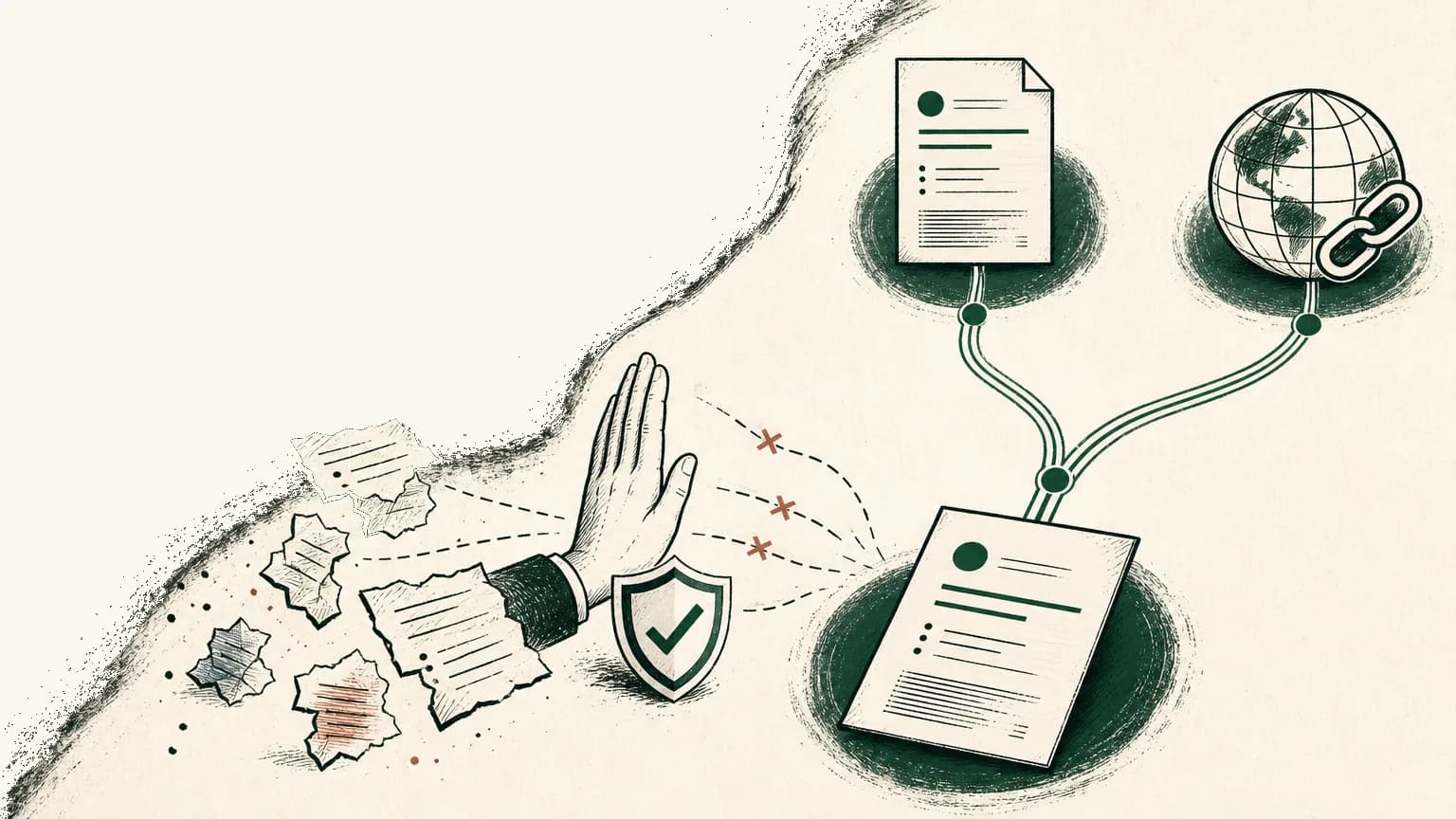
You can turn a rough technical resume into a clean Markdown source that is easier to inspect, edit, tailor, publish, and export.
The right way to use Markdown for a resume is not to treat it as a personality signal. Use it as the source of truth: the readable file where your facts, headings, bullets, links, and role-specific versions stay visible before they become a PDF or public resume link.
That distinction matters.
A PDF is the application artifact. A public link is the human-friendly artifact. The Markdown file is where the resume stays honest.
Tiny CV's point of view is simple: write the resume in Markdown, preview the page, publish the public version for people, and export the PDF when systems ask for one.
What is the right way to use Markdown for a resume?
The right way to use Markdown for a resume is to keep one plain, inspectable source and treat every PDF, public link, and role-specific version as an output from that source.
John Gruber's original Markdown documentation framed Markdown around readability: the source should be easy to read and write as plain text, not a wall of formatting instructions.1 CommonMark notes that Markdown was developed in 2004 by John Gruber with Aaron Swartz, then adds the important caution: by 2014, dozens of implementations existed, and they did not always render the same way.2
Here is what this means for you.
Markdown is useful because you can see the resume. You can review a date, compare a bullet, spot a hidden private note, and ask an AI agent for a diff without handing it a mystery PDF.
Markdown is not useful if the final output looks sloppy, breaks links, hides key proof, or exports into a fragile file.
Use this mental model:
| Layer | What it is for | What can go wrong |
|---|---|---|
| Markdown source | Truth, versioning, AI review, role-specific copies | Private notes leak into public output |
| Public link | Human skimming, forwarding, recruiter DMs, portfolio context | The page becomes too broad or too personal |
| PDF export | Application uploads, formal records, attachments | Formatting hurts parsing or readability |
Do not make Markdown carry the whole job search.
Make it keep the resume disciplined.
Step 1: Start with a plain technical resume schema
A strong Markdown resume starts with standard sections, conservative headings, and proof-bearing content before styling.
For most technical candidates, the useful order is header, optional headline, skills, experience, selected projects, education, and links. Students or new grads may move education and projects higher. Senior candidates usually let experience carry the page.
MIT's resume guidance recommends familiar formats, conservative type, at least half-inch margins, and one page unless the candidate has extensive experience or an advanced degree.3 Harvard describes a resume as a concise summary of abilities, education, and experience.4 The U.S. Department of Labor's February 2026 Resume Essentials guide makes the same practical move: separate the master record from the targeted resume you actually send.5
Start with this recipe:
# Your Name

City, ST | email@example.com | https://tiny.cv/yourname | GitHub | LinkedIn

## Headline

Product-minded software engineer focused on backend systems, developer tools, and reliable release workflows.

## Skills

- Languages: TypeScript, Python, SQL
- Frameworks: React, Node.js, FastAPI
- Systems: PostgreSQL, Redis, Docker, GitHub Actions

## Experience

### Software Engineer, ExampleCo

*2023 - Present | San Francisco, CA*

- Shipped account settings and billing fixes across React and Node.js, adding regression tests for three repeated support cases.
- Reworked internal deployment docs with platform and support teams so new engineers could run the release checklist without Slack handoffs.

<!-- Draft-only evidence notes:
- Support cases were SUPPORT-118, SUPPORT-142, SUPPORT-155.
- Do not claim ownership of pricing, payment provider architecture, or churn reduction.
- Ask manager before naming customer segment.
-->

### Associate Software Engineer, PriorCo

*2021 - 2023 | Remote*

- Built API endpoints for onboarding workflows and documented request examples for frontend and QA review.

## Selected Projects

### Release Notes Generator

- Built a CLI that groups merged pull requests by label and produces draft release notes for maintainer review.
- Repo: https://github.com/yourname/release-notes-generator

## Education

BS Computer Science, Example University, 2021
The private note block is the point of the workflow, not part of the public resume.
Keep evidence close while drafting. Remove it before publishing or exporting.
If you already have fragments across PDFs, LinkedIn, GitHub, and notes, first rebuild your resume source of truth. The Markdown resume should come from that record, not from memory.
Step 2: Write evidence bullets before polishing language
Technical resume bullets should prove scope, context, tools, and observable outcomes before they try to sound impressive.
Think of each bullet like a small pull request summary. A reviewer wants to know what changed, where, under what constraint, and how you know it mattered.
CareerOneStop says the work experience section should make it easy for employers to find qualifications related to the role, and it recommends emphasizing the most relevant jobs from roughly the past 12-15 years when a work history is long.6 It also pushes candidates to describe context, outcomes, numbers, percentages, recognition, or other evidence when those are real.6
Markdown helps because you can keep the raw note, final bullet, and rejected edit next to each other during review.
| Draft state | Example |
|---|---|
| Raw engineering note | Helped with checkout bugs. Added tests. Some support tickets stopped repeating. |
| Strong public bullet | Debugged checkout state failures in React and Node.js, added regression tests for three repeated support cases, and documented the fix for QA review. |
| Rejected inflated AI bullet | Led checkout reliability initiative that reduced churn and eliminated payment failures across the platform. |
The strong bullet is narrower, which makes it stronger.
It names the work you can defend. It does not invent churn, ownership, platform-wide scope, or a business result you cannot verify.
Use this bullet formula:
Action + technical context + constraint + evidence/result.
Examples:
- Reworked a high-traffic API endpoint by removing duplicate database reads, adding request-level tracing, and documenting rollback steps before release.
- Built a React dashboard with cached API responses, location fallback, and loading/error states to practice production-style client data handling.
- Coordinated backend, QA, and support review for a staged account-migration release, then captured edge cases in the runbook.
If you need a role-specific proof map, pair this article with the software engineer resume guide. If the issue is keyword pressure, use the keyword workflow before you start stuffing tools into every line.
Step 3: Let AI propose diffs against the Markdown source
The safest AI resume workflow is to ask for proposed diffs against your Markdown source, not a silent rewrite.
AI can compare the role, spot missing evidence, reorder sections, tighten bullets, and show alternate phrasing. It cannot witness work that did not happen.
NIST's AI Risk Management Framework is built around governing, mapping, measuring, and managing AI risks.7 NIST's Generative AI Profile also calls out provenance, human-AI configuration, review, and confabulation risks.8 For a resume, translate that into one practical rule:
AI can edit phrasing. The candidate owns truth.
Use this prompt:
You are editing my technical resume.

Inputs:
- Markdown resume source below.
- Target role below.
- Private evidence notes below.

Rules:
- Suggest diffs, not a full silent rewrite.
- Do not invent employers, dates, titles, metrics, customers, credentials, tools, or outcomes.
- Mark every changed claim.
- Mark missing evidence as "needs confirmation."
- Keep private evidence notes out of the public resume.
- Preserve standard headings and readable Markdown.
- Return: keep, cut, move, rewrite, and questions.
Kumar Abhinav's 2026 arXiv case study is a useful caution, not a magic promise. The system evaluated nine job descriptions against one candidate history; same-category roles improved ATS-style fit scores by an average of 7.8 points, domain-mismatched roles decreased by 8.0 points, and one partially overlapping role gained 2 points.9
That is the lesson.
Provenance helps when the resume has relevant evidence. It can hurt when the role asks for proof the candidate does not have.
Tiny CV fits this workflow because the resume source is Markdown. An agent can propose text edits, you can review the diff, and only then should you preview, publish, or export.
For the broader guardrail set, use the safest way to let an AI agent edit your resume.
Step 4: Use GitHub or version history only when it helps
GitHub and version history can help technical candidates review changes, compare resume versions, and connect to relevant work, but they should not turn a private resume draft into a public archive.
GitHub's own documentation defines version control as a system that tracks change history, including what changed, who changed it, when it changed, and why it changed.10 That is useful for a resume source because the riskiest resume mistakes are often small drifts: a date changes in one version, a metric gets rounded twice, or an AI edit changes "contributed to" into "led."
Use version history for:
- Comparing a baseline resume against a role-specific version.
- Reviewing AI edits as commits or diffs.
- Recovering a clean version after an experiment.
- Keeping public links and PDF exports tied to one maintained source.
Do not use it to publish everything.
Leave these out of public repositories and public links:
- Private evidence notes.
- Salary history.
- References.
- Supervisor names.
- Rough drafts.
- Confidential client work.
- Internal ticket IDs.
- Notes about weak spots, job targets, or interview strategy.
A GitHub link on the resume is useful when it proves something relevant. A readable open-source project, maintained tool, technical write-up, or well-scoped demo can support the resume.
A private scratch repo should stay private.
Step 5: Export Markdown to a clean PDF for systems
The PDF is the application artifact, so the exported Markdown resume has to be readable, standard, and easy to process.
Do not evaluate a Markdown resume builder by how clever the source looks. Evaluate it by whether the source stays readable and the output stays usable.
The Department of Labor's Resume Essentials guide says applicant tracking systems can search resumes for keywords that match job requirements.5 MIT also notes that employers may use keyword scanning and recommends putting relevant skills in context, not only in a skills list.3
That is not a reason to panic about secret ATS scores.
It is a reason to keep the PDF boring in the right ways:
- Use standard section headings.
- Keep dates consistent.
- Use real text, not image-only text.
- Avoid dense tables, decorative columns, unexplained icons, and tiny type.
- Keep links visible and working.
- Export the PDF, then open it like a recruiter would.
- Copy text out of the PDF once to check that the basics survived.
Tiny CV's paper preview is useful here because it makes the tradeoff visible before the file leaves your hands. If the page only fits after you shrink type, cut weaker evidence first.
For the deeper parser-readability discussion, read what an ATS-friendly resume actually means.
Step 6: Publish a focused public link from the same source
A public resume link is for humans who need the clean, current version without downloading a file.
Use the same Markdown source, but do not publish the whole source. Publish the selected public resume.
That means the public version should include:
- Name.
- Target role or headline.
- Professional contact route.
- Current experience.
- Role-relevant projects.
- GitHub, LinkedIn, portfolio, writing, or certification links when they add proof.
- A PDF download when useful.
It should not include:
- Draft-only evidence notes.
- Full home address.
- References.
- Salary history.
- Supervisor names.
- Confidential work details.
- Every project you have ever touched.
Tiny CV public CV links are the human-facing output from the same source. The PDF handles systems and application forms; the link handles recruiters, referrers, founders, hiring managers, and people reading on phones.
For the full receiver-by-receiver decision, use public resume link vs PDF.
Pre-export checklist: Is this Markdown resume ready to send?
A Markdown resume is ready to send when the source is truthful, the public/private boundary is clean, and the PDF or public link matches the receiver.
Run this checklist before you upload, send, or publish:
| Check | Why it matters | Pass condition |
|---|---|---|
| One maintained source | Prevents drift across PDFs, links, and role-specific copies | The current resume starts from one Markdown file or Tiny CV draft |
| Public/private boundary | Keeps evidence useful without leaking it | Draft-only notes, ticket IDs, salary context, and references are removed from public output |
| Standard headings | Helps humans and systems recognize sections | Uses clear headings such as Experience, Projects, Skills, and Education |
| Consistent dates | Prevents accidental credibility problems | Dates match LinkedIn, prior PDFs, and the source of truth |
| Verified metrics | Keeps bullets interview-defensible | Every number has a remembered source or is removed |
| Role-relevant skills | Avoids keyword stuffing | Skills listed in the skills section also appear in experience or projects when possible |
| Working links | Makes technical proof inspectable | GitHub, portfolio, LinkedIn, public CV, and project links open in a private window |
| AI diffs reviewed | Keeps the candidate in control | Every AI change is accepted, rejected, or marked for confirmation |
| One-page preview checked | Makes the constraint visible | The page works at normal type size, unless your experience justifies a second page |
| PDF export tested | Confirms the application artifact works | The exported PDF opens, text copies, dates read correctly, and links are visible |
| Public link reviewed | Confirms the human artifact is clean | The public page omits private notes and presents the current selected version |
This is where Markdown earns its keep.
It makes the review concrete.
What is the Tiny CV workflow for a Markdown resume?
The Tiny CV workflow is draft in Markdown, verify the facts, tailor emphasis for the role, preview the page, publish a public link for humans, and export a PDF for systems.
Use the sequence:
- Draft the baseline resume in Markdown.
- Keep private evidence notes near the draft while writing.
- Remove private notes from the public and exported version.
- Ask AI for diffs against the Markdown source, not a full silent rewrite.
- Verify employers, titles, dates, links, metrics, scope verbs, and tools.
- Create a role-specific version by changing emphasis, not facts.
- Preview the resume as a clean paper page.
- Cut weaker evidence before shrinking type.
- Publish a public Tiny CV link for humans.
- Export the PDF for systems and application forms.
- Backport any improved truthful bullet into the source of truth.
That is the real advantage of a Markdown resume.
Not novelty. Not developer aesthetics.
Control.
You can see what changed. You can explain every claim. You can let AI help without letting it invent. You can send the format the receiver needs without rewriting your identity every time.
Footnotes
-
John Gruber, "Markdown: Syntax," Daring Fireball, https://daringfireball.net/projects/markdown/syntax ↩
-
CommonMark, "A strongly defined, highly compatible specification of Markdown," https://commonmark.org/ ↩
-
MIT Career Advising & Professional Development, "Resumes," https://capd.mit.edu/resources/resumes/ ↩ ↩2
-
Harvard FAS Mignone Center for Career Success, "Create a Resume/CV or Cover Letter," https://careerservices.fas.harvard.edu/channels/create-a-resume-cv-or-cover-letter/ ↩
-
U.S. Department of Labor, Veterans' Employment and Training Service, "Resume Essentials Participant Guide," February 2026, https://www.dol.gov/sites/dolgov/files/VETS/files/ResumeEssentials_PG_Interactive_Feb2026.pdf ↩ ↩2
-
CareerOneStop, U.S. Department of Labor, "Work experience | Resume Guide," https://cloudfront.careeronestop.org/JobSearch/Resumes/ResumeGuide/work-experience.aspx ↩ ↩2
-
National Institute of Standards and Technology, "AI Risk Management Framework," https://www.nist.gov/itl/ai-risk-management-framework ↩
-
National Institute of Standards and Technology, "Artificial Intelligence Risk Management Framework: Generative Artificial Intelligence Profile," NIST AI 600-1, July 2024, https://nvlpubs.nist.gov/nistpubs/ai/NIST.AI.600-1.pdf ↩
-
Kumar Abhinav, "Career-Aware Resume Tailoring via Multi-Source Retrieval-Augmented Generation with Provenance Tracking: A Case Study," arXiv:2605.05257, May 2026, https://arxiv.org/abs/2605.05257 ↩
-
GitHub Docs, "About Git," https://docs.github.com/en/get-started/using-git/about-git ↩