
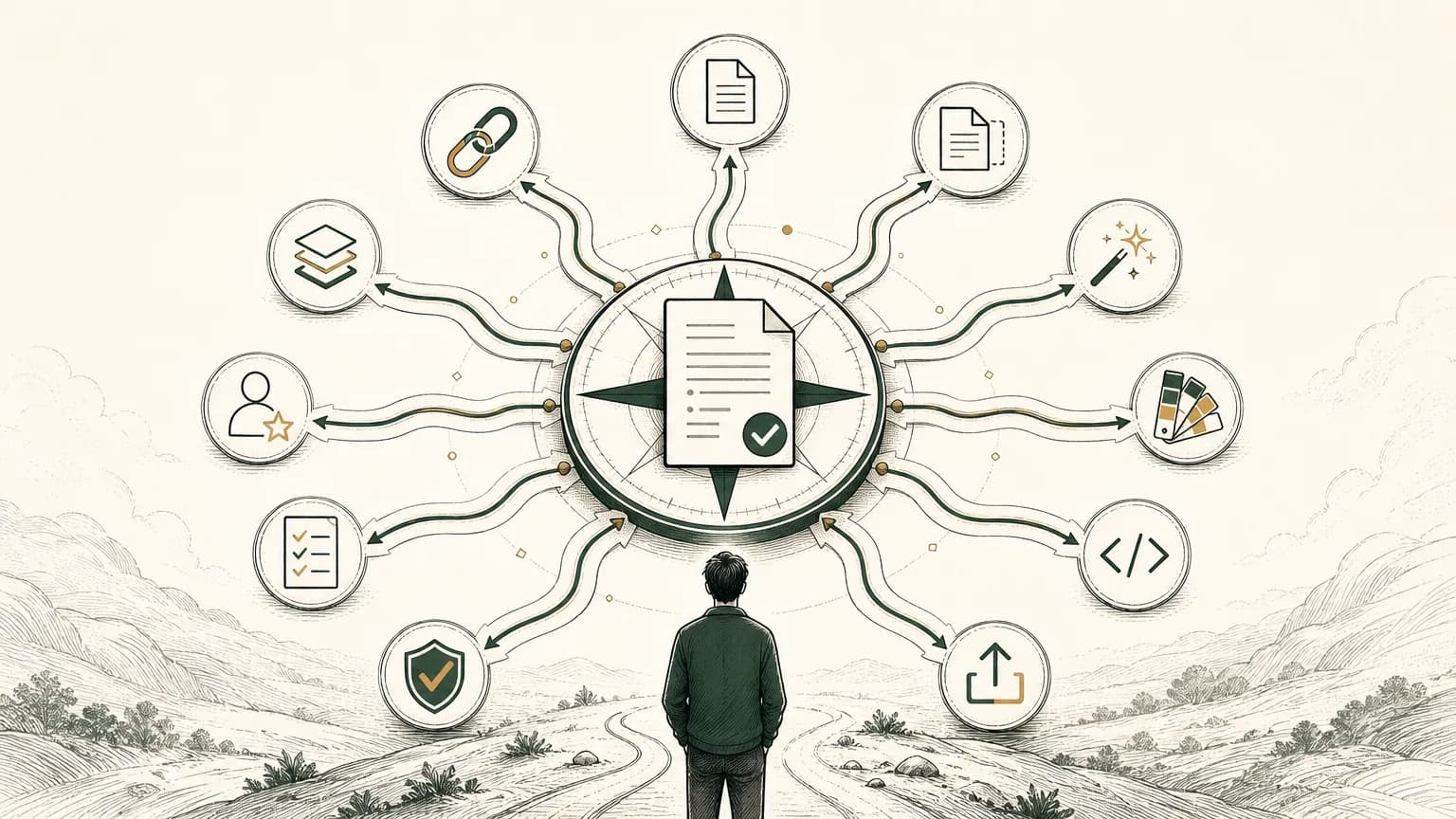
The best resume creation software in 2026 is not the tool with the loudest AI claims or the biggest template gallery. It is the tool that helps you turn real experience into an accurate resume, review every claim, export the format employers ask for, and adapt the page without losing control of the facts.
For most job seekers, that means choosing by workflow:
| If you need... | Start with... |
|---|---|
| An agent-safe resume workflow with markdown, public link, and PDF export | Tiny CV |
| A familiar free editor | Google Docs |
| A visual resume for human-first review | Canva |
| AI tailoring across many applications | Teal |
| ATS-focused AI feedback | Rezi |
| Fast first drafts and examples | Kickresume |
| Guided resume and cover letter building | Zety |
| A polished template builder | Resume.io |
| A structured one-page or multi-page CV builder | Novoresume |
| A LaTeX CV for academic or technical roles | Overleaf |
This is a use-case ranking, not a universal podium. A design-heavy resume builder can be useful for a portfolio conversation and still be wrong for an applicant tracking system upload. A plain editor can be perfect if you already know what to write. A strong AI resume tool can still create weak content if you feed it vague facts or approve invented ones.
Tiny CV's bias is simple: agents can help with structure and phrasing, but the candidate owns the truth. Use that lens while you choose.
How to choose resume creation software
Choose resume creation software by starting with the workflow you need, not the feature list.
CareerOneStop, sponsored by the U.S. Department of Labor, recommends clean, consistent resume formatting, standard headings, and simple layouts that applicant tracking systems can read.1 MIT Career Advising tells applicants to use the position description to decide what to include and select experiences that prove the required skills.2
That gives you a better buying test than "Which tool has the most templates?" or "Which tool promises the highest ATS score?"
Ask five questions:
- Can an AI assistant work safely here? If you use ChatGPT, Claude Code, or an agent, the tool should make edits reviewable instead of hiding them inside a black-box rewrite.
- Can I keep a source of truth? Multiple versions are useful only if facts, dates, titles, metrics, links, and private notes do not drift.
- Can I tailor without inventing? AI should help with ordering, wording, and gaps. It should not create experience, metrics, credentials, or outcomes.
- Can I export the file the employer asked for? PDF is usually right when no other format is specified, but some portals ask for DOCX or plain text.
- Can I share it outside an upload form? A public CV link helps when a recruiter, friend, or hiring manager wants to skim before asking for the PDF.
If the tool fails one of those tests, it may still be good software. It is just not the right resume workflow for this search.
The top 10 resume creation software picks
Use this table as the quick shortlist, then read the notes below for tradeoffs.
| Tool | Best for | Main strength | Watch out for |
|---|---|---|---|
| Tiny CV | Agent-assisted job seekers who want one truthful resume source | Markdown source, live paper preview, hosted links, PDF export, agent guide | Less useful if you want decorative visual layouts |
| Google Docs | Free manual editing | Familiar editor and resume templates | Formatting can drift as versions multiply |
| Canva | Visual resumes | Drag-and-drop design and large template library | Some visual layouts may be less upload-friendly |
| Teal | Active job seekers tailoring many applications | Resume builder, job matching, versions, downloads | AI suggestions still need human fact review |
| Rezi | ATS-focused AI writing and scoring | Keyword tailoring, scoring, DOCX/PDF export | Best for clean ATS layouts, not highly visual resumes |
| Kickresume | Fast drafts and examples | AI writer, samples, pre-written phrases | Phrase libraries can sound generic if not edited |
| Zety | Guided resume and cover letter workflow | Templates, expert-written content, multiple export formats | Paid plan may matter if you need formatted exports |
| Resume.io | Polished templates and quick exports | Resume and cover letter builder, Word/PDF export | Claims and add-on services should not replace your own review |
| Novoresume | Structured template control | One-page and multi-page options, AI help, job tracker | Free limits may shape how many versions you keep |
| Overleaf | LaTeX CVs and academic resumes | LaTeX templates, precise formatting, technical control | Overkill if you do not want to edit markup |
1. Tiny CV
Tiny CV is best for job seekers who use AI assistants or agents to draft, review, tailor, or publish resumes, but still want a human-owned source of truth.
The editor is markdown-first: you write the resume as a document, preview it on a paper-like page, and host clean versions for different roles.3 Its agent guide tells agents to ask for missing facts, avoid inventing details, validate the resume before publishing, ask for approval before publishing or payment, and return public links or PDF jobs only after review.4
That makes Tiny CV strongest when your resume problem is not "I need more decoration," but "I need a clean resume workflow an agent can help with without making things up."
Use Tiny CV if you want:
- A markdown resume that stays inspectable.
- An AI or agent workflow with explicit human approval.
- A one-page target with a live paper preview.
- A public CV link for humans and PDF export for systems.
- Role-specific versions that stay close to the same facts.
- Optional agent/API support when you want automation beyond copy-paste prompts.
Tiny CV is especially useful if you already agree with the workflow in your resume needs a source of truth. Keep the facts stable, then create versions for different roles without losing the original record.
The tradeoff is intentional. Tiny CV is not trying to be a poster-design tool, a job-search CRM, or an ATS-score oracle. It is resume creation software for people who want AI help, markdown control, a focused public link, and a page that stays honest.
2. Google Docs
Google Docs is best for people who want a familiar, free editor and full manual control.
Google's own help documentation says Docs includes Google-created templates such as resumes, and the template gallery opens a copy you can edit.5 That makes it a practical baseline when you do not want a dedicated resume app, subscription, or AI layer.
Use Google Docs if you want:
- A familiar writing surface.
- Easy collaboration and comments.
- Manual control over every line.
- A low-friction place to start from a template.
The weakness is version drift. It is easy to end up with files named "resume-final-final-product-role" and no reliable source of truth. Google Docs is a good editor, but it will not decide what belongs on the page.
If you choose Docs, make one master version, duplicate only when the target role is worth it, and keep a clear naming system. Pair it with the resume tailoring decision framework so every copy has a reason to exist.
3. Canva
Canva is best for visual resumes where the first reader is a human, not an upload parser.
Canva's resume builder offers a drag-and-drop editor, a large template library, AI content and media features, and easy downloading or sharing.6 That makes it strong for portfolio-adjacent situations: designers, marketers, creators, students making a visual one-pager, or anyone preparing a resume for a conversation rather than a strict ATS portal.
Use Canva if you want:
- Strong visual design control.
- Many templates.
- Quick layout experimentation.
- A resume that can sit next to a portfolio or personal brand asset.
The caution is format complexity. CareerOneStop recommends simple, single-column layouts for ATS readability and warns against elements like tables, text boxes, images, and graphics when systems need to parse the resume.1 A beautiful layout can be the wrong upload.
The practical answer: use Canva when design helps the reader, and keep a cleaner PDF or text-based resume for formal applications.
4. Teal
Teal is best for active job seekers managing multiple target roles, frequent tailoring, and a broader job-search workspace around the resume.
Teal describes its resume builder as an ATS-friendly builder with unlimited downloads, job matching, and AI suggestions.7 It also emphasizes matching a resume to a job description and maintaining multiple resume versions.
Use Teal if you want:
- A job-search workspace around the resume.
- AI-assisted tailoring.
- Resume analysis against job descriptions.
- Multiple versions for different roles.
- A workflow for higher-volume applications.
Teal is strongest when your bottleneck is organization and repetition. If you are applying to a focused set of roles, it can help you compare the job description against your current resume and decide what should move up, what should be reworded, and which versions belong to which applications.
The risk is the same as with any AI-assisted editor: a good match score is not the same as truth. Use Teal to surface gaps, keywords, and structure changes. Then check every changed claim against your own experience.
5. Rezi
Rezi is best for job seekers who want AI writing, keyword targeting, scoring, and cleaner ATS-oriented formatting in one place.
Rezi's official builder page describes an AI resume builder with basic information intake, AI bullet suggestions, detailed feedback, keyword tailoring, scoring, and PDF/DOCX export.8 It is explicitly oriented around ATS-friendly text styling and keyword fit.
Use Rezi if you want:
- AI-generated bullet suggestions.
- Keyword analysis against a job posting.
- Resume scoring and feedback.
- Clean PDF and DOCX exports.
- A more structured AI workflow than a blank chatbot.
This is useful when your resume already contains real experience but the phrasing is weak, unfocused, or not aligned with the role.
The tradeoff is voice. AI-generated resume language can become generic quickly. Do not accept a bullet because it sounds professional. Accept it only if it is true, specific, and better than what you had.
For a safer AI workflow, use the rules in the safest way to let an AI agent edit your resume: the agent can change phrasing, but the human must confirm facts.
6. Kickresume
Kickresume is best for people who want a fast first draft, a large sample library, and AI writing help.
Kickresume says its builder can create a new resume from templates, import LinkedIn data, use AI to write sections, and draw from more than 20,000 pre-written phrases for more than 3,200 jobs.9
Use Kickresume if you want:
- A quick starting point.
- Resume samples by job type.
- AI rewriting and writing tools.
- Pre-written phrases to break blank-page paralysis.
- A matching cover letter or personal website workflow.
Kickresume is useful when you are stuck at zero. Samples and phrases can help you see the shape of a resume for your role.
The caution is sameness. Pre-written phrases should be scaffolding, not final copy. Replace generic language with your actual projects, tools, customers, numbers, and decisions. A phrase library can help you start; it cannot know what you actually did.
7. Zety
Zety is best for people who want a guided resume-and-cover-letter builder with template choices and expert-written content.
Zety's resume builder page describes customizable templates, ready-made content, matching cover letter tools, unlimited personalized resumes, and downloads in PDF, Word, or TXT format.10 It also includes a resume checker.
Use Zety if you want:
- A step-by-step builder.
- Resume and cover letter support together.
- Template switching.
- Job-specific suggested content.
- Multiple export formats.
Zety works well for job seekers who want guidance through the document rather than a blank page. It is closer to a guided application-documents suite than a minimalist editor.
The caution is payment and dependency. If the most valuable output is behind a plan, decide that before you spend an hour building. Also edit any suggested content until it sounds like your experience, not a generic candidate.
8. Resume.io
Resume.io is best for quickly building a polished resume from templates and exporting it in common formats.
Resume.io describes a resume builder with expert guides, templates, cover letter tools, and Word or PDF downloads.11 Its help center also says paid users can download PDF, DOCX, or TXT files, while free-account export options are more limited.12
Use Resume.io if you want:
- A polished template quickly.
- Resume and cover letter building in one account.
- Word/PDF export.
- A broad library of examples and guidance.
Resume.io is useful when you want the builder to handle layout and keep you moving. It is less ideal if you want the raw source file to remain portable forever.
The practical move is to export, proofread outside the tool, and keep a separate fact record. Do not let any builder become the only place where your career facts live.
9. Novoresume
Novoresume is best for job seekers who want a structured one-page resume builder with template controls, AI help, and clear free-versus-premium boundaries.
Novoresume's official page describes an AI-powered resume builder, ATS-friendly templates, resume analysis, a one-page basic plan, premium multi-page support, more templates, and job-tracker features.13
Use Novoresume if you want:
- A guided template system.
- A one-page default.
- AI suggestions inside the builder.
- Cleaner control than a general design tool.
- Upgrade paths for longer CVs and more versions.
Novoresume is a good middle ground between a blank document and a heavy job-search platform. It gives structure without requiring you to learn markup.
The limitation is version strategy. If you are tailoring across many job types, check whether the plan you use supports enough documents and exports for the way you actually apply.
10. Overleaf
Overleaf is best for LaTeX resumes, academic CVs, technical CVs, and candidates who care about precise typesetting.
Overleaf hosts a gallery of LaTeX templates and examples for CVs and resumes, including staff-selected and community templates.14 That makes it useful for graduate students, researchers, engineers, and academic applicants who are already comfortable with LaTeX or willing to learn it.
Use Overleaf if you want:
- LaTeX control.
- Academic CV templates.
- Precise spacing and typography.
- Versionable source code.
- A workflow that can live near other technical documents.
The tradeoff is effort. Overleaf is powerful because it is not hiding the source. That is also why it can be too much for a straightforward one-page private-sector resume.
If you do not already want LaTeX, do not choose it just because it feels technical. Choose it because the role, field, or document type benefits from that control.
Which resume builder should you use?
Use the resume builder that reduces the specific friction in your job search.
If you keep fighting layout, choose a structured builder. If you keep losing facts across versions, choose a source-of-truth workflow. If you use AI to rewrite or tailor, choose a workflow where every claim stays reviewable. If you apply to many roles, choose a tool with versioning and job-description matching. If you need a human-friendly link, choose software that publishes a clean public resume.
Here is the shortest version:
- Choose Tiny CV if you want an agent-safe markdown resume workflow, a public CV link, and PDF export.
- Choose Google Docs if you want the simplest free manual editor.
- Choose Canva if the resume is part of a visual portfolio conversation.
- Choose Teal if tailoring across many job descriptions is the bottleneck.
- Choose Rezi if you want ATS-focused AI feedback and scoring.
- Choose Kickresume if you need samples and a fast first draft.
- Choose Zety if you want a guided resume and cover letter builder.
- Choose Resume.io if polished templates and common exports matter most.
- Choose Novoresume if you want a structured one-page builder with upgrade room.
- Choose Overleaf if LaTeX is a feature, not a burden.
The tool is not the resume. The tool is the editing environment.
Tiny CV is useful when you want that environment to stay close to the document: markdown on one side, paper preview on the other, agent instructions that say "do not invent," public link when a human needs it, PDF when a system asks for it. Whatever you choose, keep the standard high: one accurate source, selected proof, and no invented fit.
Footnotes
-
CareerOneStop, "Formatting," Resume Writing Guide, sponsored by the U.S. Department of Labor, accessed May 25, 2026, https://cloudfront.careeronestop.org/JobSearch/Resumes/ResumeGuide/formatting.aspx. ↩ ↩2
-
MIT Career Advising & Professional Development, "Resumes," accessed May 25, 2026, https://capd.mit.edu/resources/resumes/. ↩
-
Tiny CV, "The resume builder that stays on one page," accessed May 25, 2026, https://tiny.cv/. ↩
-
Tiny CV, "Agent guide," accessed May 25, 2026, https://tiny.cv/agents. ↩
-
Google Docs Editors Help, "Use templates," accessed May 25, 2026, https://support.google.com/docs/answer/148833. ↩
-
Canva, "Free Online Resume Builder," accessed May 25, 2026, https://www.canva.com/create/resumes/. ↩
-
Teal, "Free AI Resume Builder," accessed May 25, 2026, https://www.tealhq.com/tools/resume-builder. ↩
-
Rezi, "Free AI Resume Builder," accessed May 25, 2026, https://www.rezi.ai/ai-resume-builder. ↩
-
Kickresume, "Resume Builder," accessed May 25, 2026, https://www.kickresume.com/en/resumes/. ↩
-
Zety, "Free AI Resume Builder," accessed May 25, 2026, https://zety.com/resume-builder. ↩
-
Resume.io, "Free Resume Builder," accessed May 25, 2026, https://resume.io/. ↩
-
Resume.io Help Center, "Can I download my resume to Word or PDF?" edited October 22, 2025, accessed May 25, 2026, https://help.resume.io/en/articles/3784704. ↩
-
Novoresume, "The Best Online Resume Builder," accessed May 25, 2026, https://novoresume.com/resume-builder. ↩
-
Overleaf, "LaTeX templates and examples - CVs and resumes," accessed May 25, 2026, https://www.overleaf.com/gallery/tagged/cv. ↩